



eSIM for USA Travel: Affordable Data for Your 2026 Trip
https://www.zimconnections.com/esim-for-usa-travel/
 SHARE
SHARE
You’ve booked the flights, saved the hotel confirmations, and probably already pinned a dozen places you want to eat. Then the annoying question shows up late in the planning process: how will your phone work in the United States without burning money on roaming?
That’s where most travelers either overpay or overcomplicate things. They keep their home plan active and hope for the best, or they wait until arrival and start hunting for Wi-Fi, a kiosk, or a local SIM. A better approach is simpler. Use an eSIM for USA travel, install it before you leave, and land with data ready to go.
The appeal is practical, not trendy. You want maps, rideshare apps, banking codes, messaging, and email to work the moment you land. You also want predictable costs. An eSIM solves both if you choose the right plan and set it up properly.
Table of Contents
- Stay Connected in the USA Seamlessly with an eSIM
- Choosing the Right eSIM Plan for Your USA Trip
- Your Pre-Travel eSIM Compatibility Checklist
- How to Purchase and Activate Your USA eSIM
- Troubleshooting and Advanced eSIM Travel Tips
- USA Travel eSIM FAQs
- Get Connected Instantly with ZIM Connections
Stay Connected in the USA Seamlessly with an eSIM
A smooth U.S. arrival usually comes down to one thing: your phone works before you leave the airport Wi-Fi bubble. If you’ve ever landed tired, opened a rideshare app, and realized your data isn’t working, you already know why this matters.
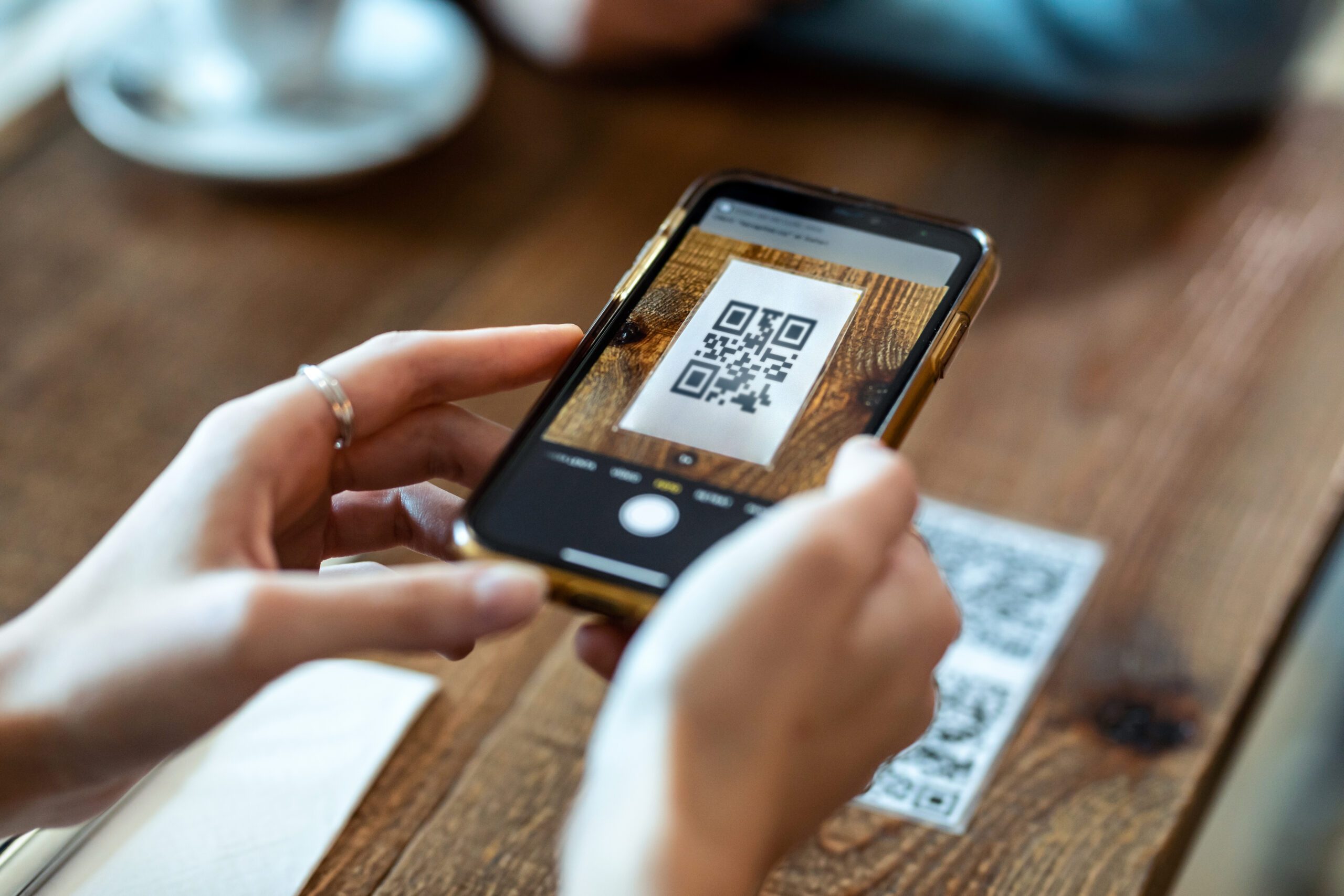
An eSIM is just a digital SIM built into supported phones. Instead of swapping plastic cards, you install a mobile profile digitally, usually from a QR code or activation link. The technology has been around for a while. The GSMA published the eSIM standard in 2016, and by 2023 the number of available eSIM consumer devices reached 231, up 45% from the previous year. At the same time, operators offering eSIM services rose to almost 400 globally, according to Statista’s overview of the eSIM market.
That matters more in the United States than many travelers realize. The U.S. is described as a leading eSIM market, and Apple’s launch of eSIM-only iPhone models for U.S. customers pushed digital setup into the mainstream, which made travel connectivity far easier for visitors using compatible devices.
Practical rule: The best travel setup is keeping your home number active for things like WhatsApp or bank codes while using a separate travel eSIM for data.
That’s the advantage. You don’t need to choose between being reachable on your usual number and getting affordable local data. For most trips, the winning setup is dual use: your normal line stays available, and your travel eSIM handles maps, browsing, bookings, and app-based transport from the minute you land.
Choosing the Right eSIM Plan for Your USA Trip
The cheapest plan isn’t always the right plan. The right plan is the one that matches how you’ll use your phone in the U.S.
The range is broad. A 2026 guide estimates travelers can save 70–90% compared with roaming, and puts the market roughly between about $4 for 1GB and around $75 for 30 days of unlimited service, as noted in this USA travel eSIM pricing guide for 2026. That spread tells you something important: buying blindly is how people either run out of data too early or pay for far more than they need.
Start with how you actually use data
If your trip is mostly city breaks, restaurant bookings, messaging, and maps, you probably don’t need an unlimited plan. If you’re taking video calls, tethering a laptop, uploading content, or streaming in hotels with weak Wi-Fi, you should plan more conservatively.
Use this simple framework.
| Activity (1 Hour) | Typical Data Usage |
|---|---|
| Messaging apps and light browsing | Low |
| Turn-by-turn navigation | Low to moderate |
| Social media scrolling with photos and short clips | Moderate |
| Video calls for work | High |
| HD video streaming | High |
| Laptop hotspot for remote work | High and variable |
A few practical patterns matter more than technical specs:
- Short leisure trip: Pick a modest plan if you mainly need maps, messaging, and booking apps.
- Work trip: Buy more than your average daily estimate. Work data use is uneven, not steady.
- Content-heavy trip: If you upload photos and videos constantly, small bundles disappear quickly.
- Family travel: One person’s hotspot use can change the whole equation.
If your plan says unlimited, read it as “large allowance with rules,” not “use anything without limits.”
Published plan ladders for U.S. travel show a market full of short-validity and medium-size prepaid bundles. That’s good for travelers because pricing is easier to predict, but it also means you need to match the bundle to the trip instead of assuming the label tells the full story.
When a regional plan beats a USA-only plan
A USA-only eSIM makes sense if the United States is your only stop. It’s often the cleanest option for single-country travel.
But if your route includes Canada, Mexico, or a broader multi-country itinerary before or after the U.S., a regional plan can be smarter. The main advantage isn’t just convenience. It’s continuity. You install once, keep service across borders, and avoid buying another package mid-trip. If you’re comparing those options, this guide on local vs regional vs global eSIM data plans is a useful decision framework.
The trade-off is straightforward:
- USA-only plan: Better fit when all your usage will happen inside the U.S.
- Regional plan: Better fit when your itinerary crosses borders and you value simplicity.
- Global plan: Usually best for longer, more fragmented travel, not a focused U.S. vacation.
A second decision many travelers miss is whether to add a domestic number. It’s not only about phone calls. A local-facing number can help with reservations, local delivery coordination, tour confirmations, and any service that prefers a domestic contact. If your trip involves meetings, event logistics, property access, or regular driver communication, that option can be more useful than people expect.
Your Pre-Travel eSIM Compatibility Checklist
Buying first and checking later is the fastest way to waste time. Before you pay for anything, make sure your phone can use an eSIM and isn’t locked to your home carrier.

Check compatibility first
Most recent iPhones, many Samsung Galaxy models, and Google Pixel devices support eSIM, but “most” isn’t good enough when you’re spending money before a trip.
Check in your phone settings for an option like Add eSIM or Add Cellular Plan. If you want a model-by-model reference before buying, use this eSIM compatible devices guide.
A quick compatibility check matters for another reason. Some travelers own a phone model that supports eSIM in one market but not in another variation. You don’t want to discover that in an arrivals hall.
Make sure your phone is unlocked
A compatible phone still won’t help if your carrier has locked it. A locked phone may reject any travel eSIM from another provider.
Use this pre-flight checklist:
- Confirm eSIM support in settings.
- Confirm carrier restriction status with your home provider if you’re unsure.
- Update your phone before travel so setup screens and network settings behave normally.
- Save your activation email somewhere easy to reach, including offline if possible.
A locked phone causes the kind of problem that feels like bad signal but isn’t. The network is there. Your device just isn’t allowed to use it.
Do these checks at home, not at the gate.
How to Purchase and Activate Your USA eSIM
Most activation problems don’t come from the purchase itself. They come from doing the right steps in the wrong order.
The most reliable approach is simple: install the eSIM before departure, then switch to it properly when you arrive. Independent setup guidance for U.S. travel notes that the most reliable setup is to install before the trip, then on arrival switch the device’s default data line to the eSIM and enable data roaming. It also notes that failures commonly happen when travelers skip the default-line change or leave roaming off, as explained in this U.S. eSIM activation guide.
Start with the overview below.

Buy it before departure
Here’s the workflow that works best for most travelers:
- Choose the plan that fits your trip length and data habits.
- Complete the purchase from the provider’s website or app.
- Open the email with the QR code or manual activation details.
- Install the profile while you still have stable home internet.
- Label the line clearly on your phone, such as “USA Travel.”
- Leave it ready until arrival.
If you want a platform that lets you choose destination-based plans, receive activation details by email, and install by QR code or manual entry, ZIM Connections’ setup guide for iPhone and Android shows the process in detail.
The settings that usually cause failure
This can be a sticking point for travelers. The eSIM may install perfectly and still not work if the phone keeps using the wrong line.
On arrival, check these items in order:
- Default data line: Set mobile data to the travel eSIM.
- Data roaming: Turn it on for that eSIM if the provider requires it.
- Primary line behavior: Keep your home SIM for calls or texts only if that’s your plan.
- Restart if needed: A quick reboot often helps the phone register on the local network.
On iPhone, these settings usually sit under Cellular or Mobile Data. On Android, the wording varies by manufacturer, but the logic is the same.
Install early. Switch deliberately. Check roaming. Those three moves prevent most airport frustration.
QR setup is usually fastest, but manual entry is worth keeping as a backup. If the QR code doesn’t scan, the manual details in the activation email can save the day.
Troubleshooting and Advanced eSIM Travel Tips
Even a well-installed eSIM can misbehave for simple reasons. The fix usually isn’t dramatic.

What to do if data doesn’t work
If you land and have no internet, go through this short sequence:
- Toggle Airplane Mode: This forces the phone to reconnect to the local network.
- Restart the device: It sounds basic because it is basic, and it often works.
- Check the active data line: Make sure the travel eSIM, not your home SIM, is handling data.
- Verify roaming is enabled: Some plans won’t connect correctly without it.
- Look at the plan status: Confirm the eSIM line is turned on and installed fully.
Don’t start deleting profiles unless you know the provider allows easy reinstallation. In many cases, the problem is settings, not the profile itself.
Hotspot and domestic number decisions
Hotspot use is where marketing language gets slippery. Many plans advertise large or unlimited data, but tethering can be treated separately. For example, AT&T’s travel eSIM states that hotspot allowance is capped at 5GB before hotspot speeds are reduced to 128kbps, according to AT&T’s international eSIM terms.
That matters if you plan to:
- Work from a laptop
- Share data with a tablet
- Back up photos on the go
- Use your phone as hotel Wi-Fi backup
A second pro move is considering whether you need a domestic U.S. number. For many travelers, data-only service is enough. But a domestic number can help in a few specific situations:
- Reservations and callbacks: Restaurants, clinics, salons, and service desks may prefer a local number.
- Ride and delivery coordination: It can be easier to share a local contact for one-off logistics.
- Business meetings: A domestic contact number can reduce friction when you’re meeting U.S.-based clients or vendors.
Not everyone needs that extra layer. If your trip is mostly sightseeing and app-based communication, data-only is usually fine. If your trip involves coordination with local businesses, it’s worth considering.
USA Travel eSIM FAQs
Can I keep my home number while using an eSIM in the USA?
Yes, that’s one of the most useful parts of eSIM travel. Many travelers keep their home line active for messages or banking codes and use the travel eSIM for mobile data.
Should I install the eSIM before I fly?
Yes. Installing before departure is the safer move. It gives you time to fix setup issues while you still have familiar Wi-Fi and support options.
Are USA travel eSIMs usually data-only?
Many travel eSIM offers for the U.S. are data-first products. Such options are generally sufficient, as messaging, maps, rideshare, email, and app calls handle most travel needs.
Is unlimited always worth it?
Not necessarily. Unlimited-style plans make sense for very heavy use, but they can be overkill for short trips. They may also include fair-use policies or hotspot restrictions.
What if I’m visiting more than just the U.S.?
Look at a regional plan if your trip includes nearby countries. One installation across multiple destinations is often easier than managing separate single-country packages.
Do I need to turn on roaming for an eSIM?
Often, yes. If data isn’t working after arrival, that’s one of the first settings to check.
Get Connected Instantly with ZIM Connections
A good eSIM setup means you step off the plane with data ready for maps, messages, bookings, and work. It’s the simplest way to avoid roaming surprises and skip the scramble for a physical SIM after landing. Download the ZIM app for USA travel eSIM options and get your setup ready before you fly.