



eSIM Application: How to Set Up, Use, and Manage Digital SIMs in 2026
https://www.zimconnections.com/esim-application-how-to-set-up-use-and-manage-digital-sims-in-2026/
 SHARE
SHARE
An eSIM application is the fastest way to get connected in 2026 without ever touching a plastic sim card. Whether you’re landing in a new country or simply want a second line on your smartphone, these apps make it happen in just a few steps. Among the top choices for seamless global connectivity is the ZIM app, offering reliable and affordable eSIM solutions worldwide.
What is an eSIM application?
An eSIM application is a mobile app that lets you purchase, install, and manage eSIM profiles on compatible smartphones, tablets, and other mobile devices. Instead of swapping physical sim cards at a store or waiting for delivery, you handle everything digitally from your phone screen.
At its core, an eSIM is a digital sim embedded in devices—a software-based successor to the traditional physical sim card. The technology first appeared widely in 2018 with the iPhone XS/XR and Google Pixel 3, and it has since become standard in modern smartphones and wearable devices. An eSIM app lets users go fully digital: no plastic, instant mobile data activation, and remote management of multiple esim cards from a single device.
These apps are especially useful for international travel, helping users avoid high roaming fees and quickly switch to local data plans without hunting for a shop at the airport. ZIM’s eSIM application stands out by offering extensive coverage in over 200 destinations, competitive pricing, and a user-friendly interface.
An eSIM application typically handles four core tasks:
- Buy a data plan for your destination country or region, with easy payment options integrated directly in the app
- Install the esim profile directly to your phone
- Manage multiple profiles, toggling them on or off anytime
- Top up or re-purchase plans when data runs low
How eSIM technology works behind the app
eSIM technology is built directly into a device’s motherboard via a secure chip called an eUICC. Your operating system—whether Android or iOS—manages this chip and handles all provisioning tasks in the background.
eSIM profiles are encrypted digital files downloaded from remote servers called SM-DP+, which function under GSMA standards (specifically SGP.22 for consumer devices). These profiles contain the same credentials as a traditional sim card—network authentication keys, operator settings—but arrive over the internet instead of in a plastic tray.
When you use an esim application like ZIM, the app communicates with these servers via Wi-Fi or existing mobile data to download and install your new esim profile securely. GSMA standards regulate esim cards and profiles worldwide, ensuring interoperability and strong encryption across carriers and regions.
Core functions enabled by this architecture:
- Storing multiple esim profiles on one device (often 5–8)
- Activating or deactivating individual profiles instantly
- Switching carriers or plans without swapping physical sim cards
Device compatibility: is your phone eSIM compatible?
Not every phone, tablet, or laptop supports esim technology. Devices released before 2018 generally lack the required hardware, and even some newer models may have the chip disabled depending on region or carrier policy.
To check on an Android device, go to Settings → Network & Internet → SIMs and look for an “Add eSIM” option. You can also dial *#06# to see if an EID number appears alongside your IMEI—an EID confirms esim hardware is present. On an iOS device, navigate to Settings → Cellular → Add eSIM, or check About for “Digital SIM” or dual sim details.
Popular esim compatible devices in 2026 include every iPhone XR and newer (with iPhone 14/15/16/17 models shipping as eSIM-only in many regions), Google Pixel 3 and newer (Pixel 10 US models are eSIM-only), and Samsung Galaxy S20 series and newer including foldables. For a more detailed breakdown, you can consult a comprehensive guide to devices compatible with eSIM.
There’s an important distinction: “eSIM ready” means the hardware is present, while “eSIM enabled” means both software and carrier support are active in your country and on your specific plan. If your phone supports esim hardware but the option doesn’t appear, your carrier may have it disabled.
Update your device software—Android 13/14/15/16 or iOS 16/17—before using any esim application to avoid known bugs with activation or profile switching.
Installing and activating an eSIM via app
Setting up an esim takes just a few steps, and activating an eSIM takes less than two minutes on most devices. Here’s the general flow:
- Open the esim application and simply choose your destination and data plan
- Complete your purchase securely within the app, including easy ways to pay
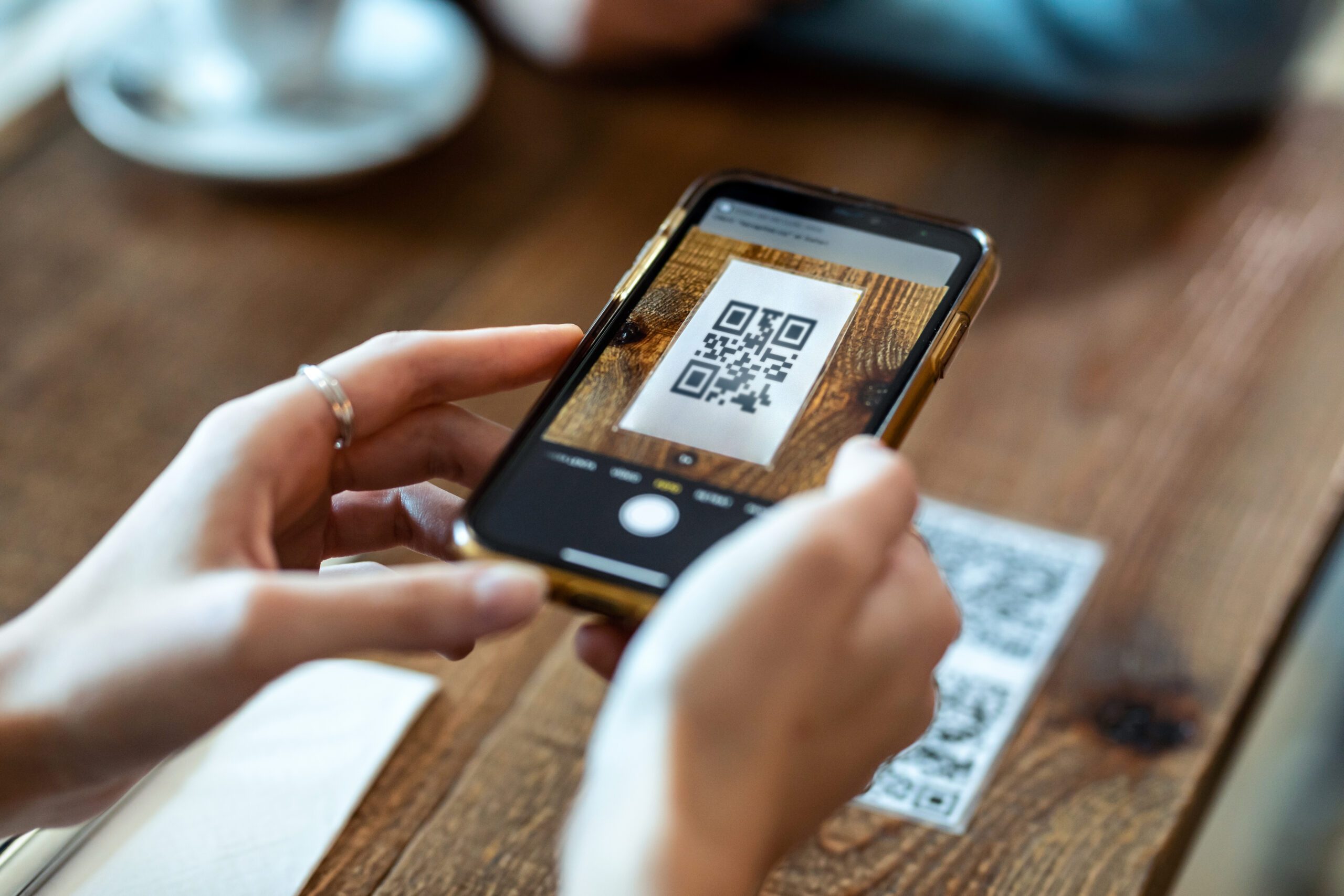
- Receive an esim profile or QR code, then follow step-by-step instructions to activate eSIM on iPhone and Android
- Add it as a new mobile data plan in your device settings
For an Android device, go to Settings → Network & Internet → SIMs → “Add eSIM.” You can scan the qr code provided by the esim application or enter the activation code manually without using a QR code. Follow the on-screen instructions, label the plan (e.g., “UK Data”), and confirm. For an iOS device, open Settings → Mobile Data → Add eSIM → scan the QR code or use the app download method to automatically activate the profile. Label the new plan clearly so you can identify it later.
eSIMs can be activated via QR codes or apps, and they can be activated on devices connected to Wi-Fi—no existing cellular connection is needed, especially with options like one-click activation directly in the ZIM app. Note that an eSIM can only be installed on one device, so you cannot share a single profile across multiple devices.
Devices can support both physical SIM and eSIM simultaneously, allowing dual sim functionality. This means you can keep your primary physical sim active for calls while using the esim for cheap mobile data abroad.
Best practices: activate the esim online before departure, test connectivity on Wi-Fi, and switch the default data plan to your new esim profile when landing to avoid roaming charges.
Managing eSIM profiles and dual SIM functionality
Once installed, esim profiles can be turned on or off through your device settings or directly inside the esim application interface. You can switch between eSIMs in device settings at any time—no tools required.
Most current flagships support multiple stored profiles, but only a limited number can be active simultaneously (typically two lines). eSIMs can store multiple profiles for different networks, and eSIMs allow multiple mobile plans on one device, making management flexible.
Common use cases include:
- Keeping your home number on a physical sim for calls and SMS
- Using an esim card dedicated to mobile data when travelling
- Switching between business and personal profiles on the same device
To set defaults, go to your SIM settings and assign preferences: for example, “Use Primary for calls & texts, Use Travel eSIM for mobile data only.” This setup ensures seamless connectivity without accidentally burning through roaming data on your home plan.
When you no longer need a profile, you can safely remove it from your device. However, removed profiles usually cannot be restored without contacting the provider for reissuance—so only delete when you’re sure you’re done.
Using eSIM applications for international travel
eSIM apps are the quickest way in 2026 to avoid high roaming fees when crossing borders. eSIM facilitates easy international travel by allowing pre-purchase of local data plans, so you’re connected the moment you land.
The typical workflow: search by country or region in your esim application, compare local data plans (e.g., 5 GB for 7 days in Spain, 20 GB for 30 days in the USA, or a week in Canada), purchase, and install before departure. Many apps also offer regional plans covering multiple countries—a single esim card for all of Europe or Southeast Asia, for instance.
Consider a practical scenario: you’re planning a 10-day city break across three European destinations in May 2026. Instead of buying separate sim cards in each country, you purchase one regional plan via an esim application that provides global coverage across the EU. Local data plans via eSIMs are cheaper than international roaming charges, and switching to local data rates avoids expensive roaming fees entirely.
eSIMs can be activated upon arrival at your destination, or even better, installed a day or two before departure and activated on arrival. Using an eSIM allows instant connection to local networks, and eSIMs allow instant connectivity to local networks abroad—no hunting for a mobile network shop at the airport.
Travel tips: keep your home SIM active for banking SMS, disable data roaming on the home line, and set the travel eSIM as the only plan handling data on arrival.

Benefits of eSIM applications vs. traditional SIM cards
The gap between a digital sim card and a physical sim card comes down to convenience, speed, and sustainability. With an esim, you skip the store visit, avoid shipping delays, and reduce waste—all while gaining more control over your mobile plan.
Key benefits of eSIM applications:
- Instant esim online purchase and activation without visiting a store—eSIMs can be activated in minutes without waiting for delivery
- An eSIM cannot be lost or damaged independently of the device, unlike a tiny plastic card
- Ability to switch data plans on the fly when you find better local pricing
- Support for multiple numbers and plans on one device for advanced flexibility
- eSIMs cannot be removed or swapped like physical SIMs, reducing SIM-swap fraud risk
eSIMs reduce plastic waste by eliminating physical SIM cards, cutting out packaging and shipping entirely. On the security side, profiles are protected by device-level encryption, PIN, and biometrics—making them more secure than a card you can pop out with a paperclip.
eSIM technology also enables slimmer devices or more space for larger batteries, since manufacturers can remove or shrink the SIM tray. According to ABI Research, over 633 million eSIM-enabled devices are forecast to ship in 2026—a clear sign the industry is moving permanently digital.
With ZIM, you get all these benefits plus a global network of affordable plans, easy payment options, and responsive customer support, making it the smart choice for savvy travelers and everyday users alike.
Potential issues, bugs, and limitations
While esim technology is mature, users may still encounter issues related to software updates, carrier restrictions, or device quirks.
Known problems include certain Android 13+ updates temporarily breaking eSIM controls on specific brands, and QR codes that are valid for a single use only—if you reset your device, that code may not work again, which can trigger “eSIM QR code invalid” errors during reactivation. Some mobile operators in certain regions still do not support eSIM in 2026, or limit its use to postpaid or specific plans.
Practical troubleshooting steps:
- Reboot the phone if the profile shows “No Service”
- Ensure Wi-Fi or mobile data is active when installing
- Double-check that the plan start date is valid for your travel dates
- Contact the esim app’s support service if activation fails
Factory resets typically erase all installed esim profiles. Before resetting or when moving to a replacement device, review how to transfer an eSIM to a new phone in 2026 and confirm that you can re-download the profile or have clear re-activation details from your provider.
eSIM application features to look for in 2026
Not all esim apps are equal. When choosing one, prioritize reliability, coverage breadth, and user experience over flashy design.
Desirable features to look for:
- Easy search by country or region with transparent pricing
- Wide global coverage across 150+ destinations with clearly stated data caps
- Support for hotspot and tethering on mobile data where the carrier permits
- Real-time usage tracking and low-data alerts inside the app
- Secure account with stored receipts and the ability to manage multiple esim profiles
- 24/7 in-app support (live chat or fast email) for when things go wrong abroad
- Clear refund policies for unused or unactivated profiles
A good esim application should make it easy to request a new esim, access your account details, and set up your next plan without hassle. ZIM excels in all these areas, offering an intuitive experience for new and experienced users alike.
FAQ about eSIM applications
Do I need an internet connection to install an eSIM? Yes. You need Wi-Fi or existing mobile data to download the profile. Without internet access, installation cannot complete.
Can I use an eSIM and a physical SIM at the same time? On most modern dual-SIM phones, yes. You can keep one line for calls and SMS on your physical sim while the esim handles data—a setup that supports dual sim functionality on the same device.
What happens to my WhatsApp and other apps if I change to an eSIM data plan? They keep working as long as your phone has mobile data or Wi-Fi. Your app accounts are tied to your login, not the sim card hardware.
Can I keep my existing phone number when using travel eSIMs? Yes. Leave your home SIM active for calls and SMS while the travel eSIM handles data. When you return, simply switch your defaults back.
Is eSIM technology safe? Yes. Profiles are encrypted during download and protected by device-level security (PIN, biometrics, encryption). There’s no physical sim to steal or swap, making it inherently more secure.
How early before my trip should I install an eSIM? Install 1–3 days before departure. This gives you time to test connectivity, verify the setup, and confirm your data plan is active, especially if you are using eSIM plans that also include phone numbers for calls and texts.
Why can’t I add an eSIM even though my phone supports esim? This usually comes down to carrier locking, being on an incompatible plan, or account eligibility. Contact your carrier or check if your device is fully unlocked. For the most affordable and quick data options, consider ZIM Connections. ZIM eSIMs work seamlessly in over 200 destinations worldwide, making them an excellent choice for travelers. After installing the ZIM app, downloading your eSIM takes just a few minutes, whether you use a QR code or direct activation. Experience hassle-free connectivity with ZIM’s reliable and cost-effective eSIM solutions.
Do QR codes expire? Often, yes. Most are single-use and tied to a specific device. After removal or a factory reset, you may need to request reissuance from your provider or disable roaming and switch to a fresh travel eSIM plan.
Ready to stay connected on your next trip without the hassle of roaming fees or hunting for a local sim card? Download the ZIM app to instantly browse plans by destination, activate your new esim, and manage seamless connectivity from anywhere in the world.