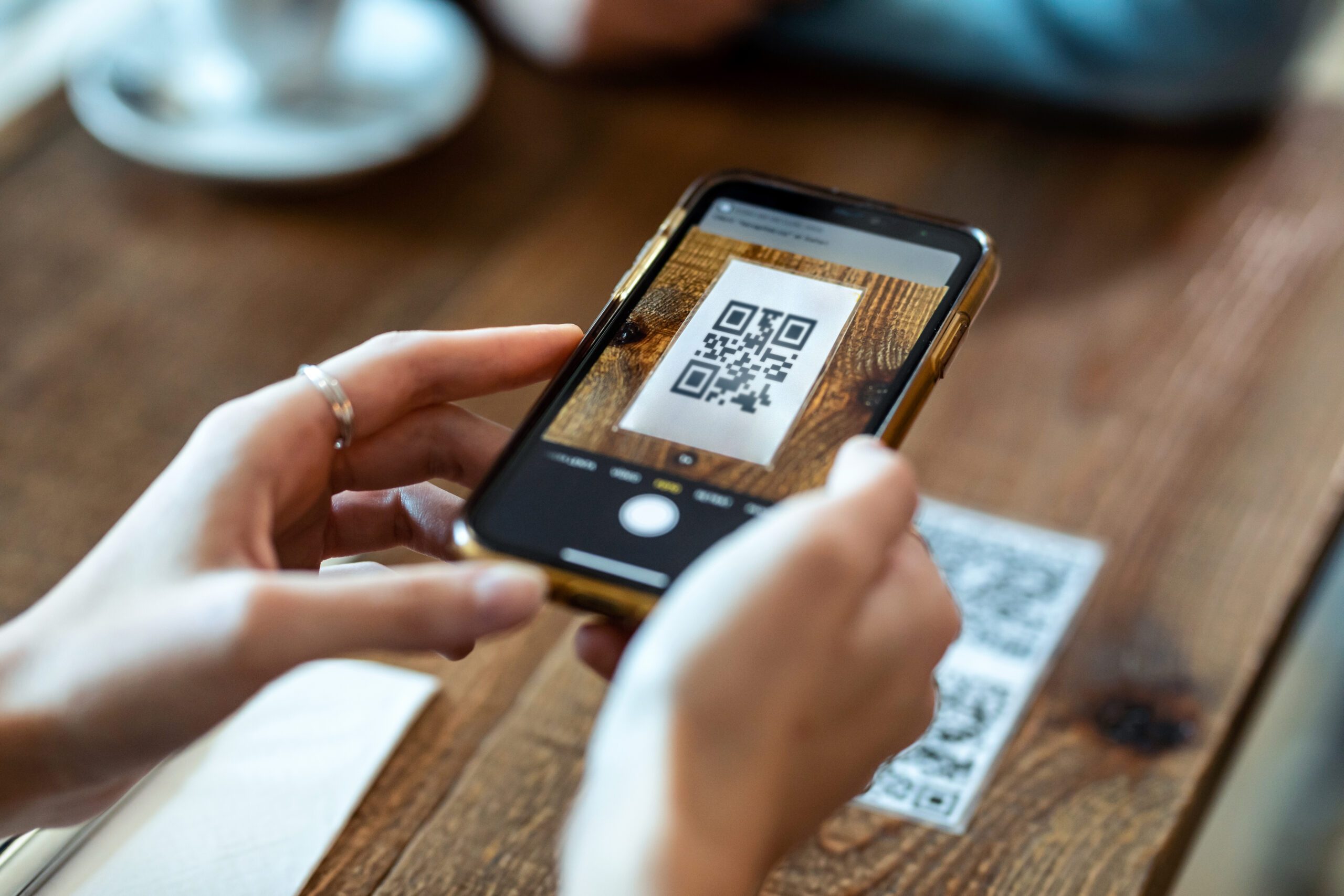






The good news is that eSIM is no longer a fringe feature. The GSMA reported in 2023 that around 260 mobile operator brands across 90 countries and territories supported consumer eSIM services, and the same report said nearly 160 smartphone models were eSIM-capable, as summarized in this travel eSIM availability overview. In practice, that means eSIM has become a realistic default option for a lot of trips, especially if you want a setup that’s fully digital.
Still, mainstream doesn’t mean universally better. The right answer depends on how you travel, how many devices you carry, whether you’re traveling alone, and how much patience you have for charging one more gadget.
The Modern Traveler’s Dilemma Arriving Connected
The worst connectivity decisions happen when you’re tired. You’ve just landed, the airport WiFi login page won’t load, and your phone is full of apps that expect data instantly. Navigation, two-factor codes, ride-hailing, translation, digital boarding passes for onward travel. None of that waits for you to get settled.

A few years ago, the practical answer was often, “Rent a hotspot” or “Buy a SIM at the airport.” That’s changed. Travelers now compare eSIM vs pocket WiFi because both solve the same arrival problem in very different ways. One turns your phone into the connection. The other gives you a separate box that shares internet over WiFi.
Practical rule: The best travel internet option is the one that still feels easy when you’re jet-lagged and in a hurry.
That matters more than feature lists. On paper, almost any option can sound fine. In real travel, small frictions pile up fast. A missing charging cable, a device return deadline, an incompatible handset, or a dead phone battery can turn “good enough” into a bad day.
What travelers actually need on arrival
Individuals generally don’t require a telecom lecture. They need a connection that handles a short list of basics:
- Navigation first: Maps and transit apps need to work before you leave the airport.
- Messages second: You need to reach your hotel, driver, family, or colleagues.
- Low-friction setup: Anything that requires too many steps after landing feels worse than it looked before departure.
- Predictable routine: If you’re changing cities or countries, you want connectivity that doesn’t create fresh logistics every few days.
That’s why this comparison matters. Pocket WiFi still makes a lot of sense in some trips. eSIM often wins on simplicity. The trick is knowing which trade-off fits your travel style instead of copying someone else’s setup.
Understanding Your Two Main Options
If you’re comparing eSIM vs pocket WiFi for the first time, think of it this way: eSIM is software, and pocket WiFi is hardware. That simple framing clears up most of the confusion.
What an eSIM really is
An eSIM is a digital SIM profile that you install on your phone. Instead of opening your SIM tray and swapping a tiny card, you activate service digitally, often through a QR code or an app. Your phone connects directly to a mobile network, just as it would with a regular SIM.
That makes eSIM attractive for travelers who want less stuff to manage. No rental counter. No pickup. No return envelope. No second device bouncing around in your bag.
If you want a deeper primer on how this works before choosing a plan, this ultimate eSIM guide for travelers is a useful starting point.
What pocket WiFi really is
A pocket WiFi device is a small portable hotspot. It uses a mobile connection and rebroadcasts that connection as a private WiFi network that your devices can join. Your phone, tablet, and laptop don’t connect to the carrier directly. They connect to the hotspot.
That’s why I think of it as a personal router in your pocket. It isn’t built into your phone. It’s its own little piece of travel gear, with its own battery, charger, and daily routine.
Pocket WiFi doesn’t replace your phone plan. It creates a WiFi bubble that your devices use while you travel.
Why the distinction matters
This software-versus-hardware split affects almost everything about the trip.
With eSIM, your phone is both your main device and your connection point. That’s elegant when you’re traveling light. It’s less elegant if you need internet on several devices all day and don’t want to tether from your phone.
With pocket WiFi, your connection lives outside the phone. That’s useful when multiple people or devices need access. But you’re now responsible for one more object. You need to pack it, charge it, carry it, and avoid losing it.
A lot of travelers miss this and compare only “internet speed” or “price.” That’s too narrow. In practice, you should compare operating hassle.
The simplest mental model
Use this quick shorthand:
- Choose eSIM if you want the cleanest setup and mostly use one phone.
- Choose pocket WiFi if you want to share one connection across people or devices.
- Pause before buying either if you haven’t checked phone compatibility, carrier restriction status, or how often your group splits up during the day.
Those three checks prevent most bad purchases.
eSIM vs Pocket WiFi A Detailed Side-by-Side Comparison
Before getting into the details, here’s the fast version.
Quick comparison table
| Criteria | eSIM | Pocket WiFi |
|---|---|---|
| Best for | Solo travelers, light packers, frequent movers | Groups, families, multi-device setups |
| Setup style | Digital activation on your phone | Physical device setup and WiFi pairing |
| Extra gear | None | Separate hotspot plus charging cable |
| Phone compatibility | Needs an eSIM-compatible phone | Works with WiFi-enabled devices |
| Sharing | Usually one main device, hotspot if needed | Built for multiple connected devices |
| Battery impact | Can increase phone load, especially with tethering | Shifts connectivity load to separate hardware |
| Logistics | No pickup or return | Often involves delivery, pickup, and return |
| Failure point | Your phone | The hotspot device and its battery |

Convenience and setup
For convenience, eSIM usually wins.
You buy a plan, install it, and activate it on your phone. That can happen before departure, from your hotel, or while waiting at the gate. You don’t need a shipping address or airport counter. You also don’t need to remember to mail anything back after the trip.
Pocket WiFi is less elegant. Even when the service itself is simple, the workflow isn’t. There’s usually a physical device involved, which means pickup, delivery, or return planning. That’s manageable, but it adds logistics to a trip that may already have enough moving parts.
For travelers who want to stay light, this guide to travel WiFi options abroad helps frame that trade-off well.
Battery and device management
For device management, eSIM is simpler but not always lighter on your phone.
If you’re only using your phone, eSIM feels clean. Your connection lives where you already work. But once you start hotspotting to a laptop or second phone, the phone starts doing double duty. That’s when battery drain and heat become more noticeable.
Pocket WiFi flips that equation. The hotspot carries the connection burden, and your phone just uses WiFi like it would in a café or hotel. The downside is obvious. You’ve got another battery to keep alive.
If you already struggle to keep your phone charged during travel days, don’t ignore the battery side of this decision.
A separate hotspot can be annoying. A phone that’s nearly dead by midafternoon is worse.
Later in this comparison, it helps to see another take in action:
Sharing and multi-device use
Pocket WiFi has a clear technical edge.
Pocket WiFi functions as a dedicated mobile hotspot/router, allowing several devices to connect simultaneously without forcing every device to maintain its own cellular session. eSIM lives inside one handset and is best suited to single-device use unless that phone shares data via tethering, which pushes battery and heat load back onto the phone, as explained in this pocket WiFi versus eSIM analysis for Japan travel.
That sounds technical, but in practice, it’s simple:
- One person, one phone: eSIM is usually cleaner.
- Phone plus laptop all day: either can work, but pocket WiFi can feel steadier.
- Family with tablets and multiple phones: pocket WiFi fits more naturally.
- Group that keeps splitting up: shared pocket WiFi becomes less convenient.
A shared hotspot is only useful when the people who need it stay near the hotspot.
Cost and flexibility
I treat cost as a behavior question, not just a price question.
eSIM often feels cheaper because you aren’t paying for a physical unit, shipping, or rental handling. It’s also easier to match a digital plan to a short trip or a multi-country route. That makes it attractive for solo travelers and anyone who books late.
Pocket WiFi can make better sense when several people share one device. In that case, the burden of carrying and charging it may be worth the coordination benefit. For one traveler, though, a separate rental can feel like overhead.
What doesn’t work well is choosing purely on the headline price and ignoring trip mechanics. A cheap hotspot isn’t cheap if you hate carrying it. A simple eSIM isn’t simple if your phone isn’t ready for it.
Security and failure points
Neither option is automatically perfect. They fail in different ways.
With eSIM, most of the risk sits in your phone setup. Compatibility, carrier independence, installation steps, and line settings matter. Once it’s working, though, there’s no separate box to lose.
With pocket WiFi, setup is often easy after you have the device. The bigger risk is operational. Someone forgets it in a café, the battery dies during a long day out, or the one person carrying it walks off while the group splits.
The better choice is often the one with the fewer moving parts for your travel style.
Best Use Cases Which Option Fits Your Trip?
A specs list doesn’t make the decision. Traveler type does.
Solo traveler
The solo traveler usually wants one thing above all else: less friction. You leave the airport alone, get around alone, and solve problems alone. That’s why eSIM often fits this trip so well.
You land, the phone connects, and your day starts. No rental handoff. No extra pouch in your bag. No second charger to keep track of. If your travel pattern is phone-first, cafe-to-hotel, city-to-city, eSIM usually matches the rhythm.
This is especially true for travelers who move often. If you’re crossing borders or taking short trips, digital setup is hard to beat.
Family or group trip
Families and groups change the equation immediately.
One person may need maps. Another wants messaging apps. Kids may want tablets in transit. A shared connection can be much easier than managing separate setup on every device, which is where pocket WiFi earns its place.
But there is a catch. The family has to stay coordinated around the device. If one parent takes the hotspot and the other goes off with the kids, somebody loses data. On a tightly planned vacation, that may be fine. On a loose, split-up itinerary, it’s less ideal.
Here’s a perspective:
- Stay together most of the day: pocket WiFi is practical.
- Often split into subgroups: individual eSIMs are usually easier.
- Parents carrying work devices too: pocket WiFi gets more attractive.
Families often underestimate the “who carries the hotspot?” question. Decide that before the first day out.
Business traveler
Business trips are usually less forgiving.
You may need a phone, laptop, video calls, file uploads, messaging, and reliable access between airport, train, hotel, and office. In that setup, both options can work, but they fail differently.
eSIM works well for the business traveler who values speed and hates gear clutter. If the phone is the hub and occasional tethering is enough, it’s a tidy solution. Pocket WiFi works better when the workday is long and device-heavy, especially if you don’t want your phone acting as a router for hours.
For many business travelers, the deciding factor isn’t theory. It’s whether they trust their phone battery to carry the whole day.
Eco-conscious traveler
This is the use case most comparison posts ignore.
If environmental impact matters to you, eSIM has a straightforward advantage because it’s digital. There is no plastic SIM card to handle and no rental device moving through pickup, shipping, cleaning, repackaging, and return cycles. Even without getting lost in accounting, the simpler supply chain is a real benefit.
That doesn’t mean pocket WiFi is wrong. Shared hardware can make sense when one unit replaces several separate solutions. But if you value traveling with less physical gear and less delivery overhead, eSIM lines up well with that goal.
The broader lesson is simple. Your best option isn’t just about data. It’s also about how much gear, coordination, and waste you’re willing to accept on the road.
Your Personalized Recommendation A Traveler’s Decision Flow
Most travelers can make this decision in a couple of minutes if they ask the right questions in the right order.

Start with device count
First question: How many devices need internet at the same time?
If the answer is one phone, eSIM is usually the cleanest path.
If the answer is several devices, or several people, start by looking at pocket WiFi. That’s the scenario it was built for. It handles shared connectivity more naturally than asking one phone to act as the center of everything.
Then check your tolerance for friction
Second question: How much do you hate managing gear?
Some travelers don’t mind one extra gadget. They already carry a power bank, camera, earbuds, and charger pouch. For them, a hotspot isn’t a big deal. Others want less in their pockets and fewer things to charge at night. For them, a digital setup is worth a lot.
Third question: Will your group stay together?
This question often determines many eSIM vs pocket WiFi purchases. A shared hotspot works best when the group moves as one. If people split up constantly, independent connectivity becomes more valuable than a shared device.
A simple travel rule
Use this decision shortcut:
- Choose pocket WiFi if you need to connect multiple people or multiple devices for long stretches.
- Choose eSIM if you mostly rely on one compatible phone and want the lowest-friction setup.
- Consider a physical SIM if your phone doesn’t support eSIM and you don’t want to rent hardware.
- Carry a backup plan if your trip is important enough that being offline would create real problems.
The smartest setup isn’t the fanciest one. It’s the one that matches how you actually travel, not how you imagine you’ll travel.
If you’re still undecided, lean toward the option that reduces your most likely failure point. For some people that’s battery. For others it’s gear management. For groups, it’s coordination.
Frequently Asked Questions About Travel Connectivity
Can I keep my regular number while using an eSIM for data?
Often, yes, depending on your phone and how it’s configured. Many travelers use their usual line for calls or texts and a travel eSIM for data. The key is checking your phone’s dual-SIM behavior, default line settings, and whether your home carrier charges for roaming-related activity.
If your number matters for banking logins or account verification, test your setup before departure instead of figuring it out at the airport.
Does pocket WiFi hurt battery life less than tethering from my phone?
Usually, yes in practical day-to-day use. With pocket WiFi, the hotspot device handles the sharing work. Your phone connects over WiFi. With phone tethering, your handset is doing more, and that can create more battery drain and heat over time.
That doesn’t make pocket WiFi battery-free. It just moves the battery burden to another device.
What happens if I lose a rented pocket WiFi device?
Policies differ by provider, so you need to read the rental terms before the trip. This is one of the least glamorous but most important parts of the decision. A hotspot isn’t just a connection method. It’s rental hardware that can be lost, damaged, or left behind.
If you’re the type who already misplaces small electronics while traveling, be honest about that before renting one.
Is eSIM harder to set up than pocket WiFi?
It depends on what you find annoying.
Pocket WiFi is often easy after you physically have the device. Turn it on, connect to WiFi, and you’re done. eSIM removes the hardware part but asks more from your phone setup. Compatibility and activation steps matter.
For tech-comfortable travelers, eSIM usually feels easier. For travelers who don’t want to touch network settings at all, pocket WiFi can feel safer.
Which is better for a laptop?
If the laptop needs regular connectivity for work, pocket WiFi is often more comfortable because it was built to share a connection. If your laptop only needs occasional access and your phone battery is strong, an eSIM plus hotspot can still work.
Is there a good backup plan?
Yes. Download offline maps, save hotel details locally, and keep critical travel documents accessible without internet. Good prep matters regardless of whether you choose eSIM or pocket WiFi.
Stay Connected Seamlessly with ZIM Connections
Most esim vs pocket WiFi decisions come down to one truth: there isn’t a universal winner. There is only the option that fits your device count, travel style, and tolerance for extra gear.
If you’re leaning toward eSIM, it helps to choose a provider that matches the practical needs that matter on real trips. That means straightforward activation, regional options for cross-border travel, and clear setup guidance. For travelers comparing providers, this overview of ZIM Connections’ travel eSIM plans shows how one service approaches global and regional coverage with digital delivery.

ZIM Connections provides international eSIM data plans across approximately 200 destinations, along with regional bundles and optional domestic phone numbers in select markets. For the kind of traveler who wants to land connected without picking up or returning hardware, that model makes sense. It also aligns with the environmental case for digital connectivity, since it avoids physical SIM handling and shipping.
Pocket WiFi still has a real place, especially for shared travel and device-heavy itineraries. But for solo trips, multi-country travel, and lower-friction arrivals, eSIM is often the more practical fit.
Get started by downloading the ZIM app.